 FabIS
Your whole shop,
at a glance.
FabIS Pulse reads your Tekla PowerFab data and turns it into a handful of clear screens: estimating, production, project management, purchasing, inventory, and inspections. The health of your shop and your projects, without pulling 20 reports.
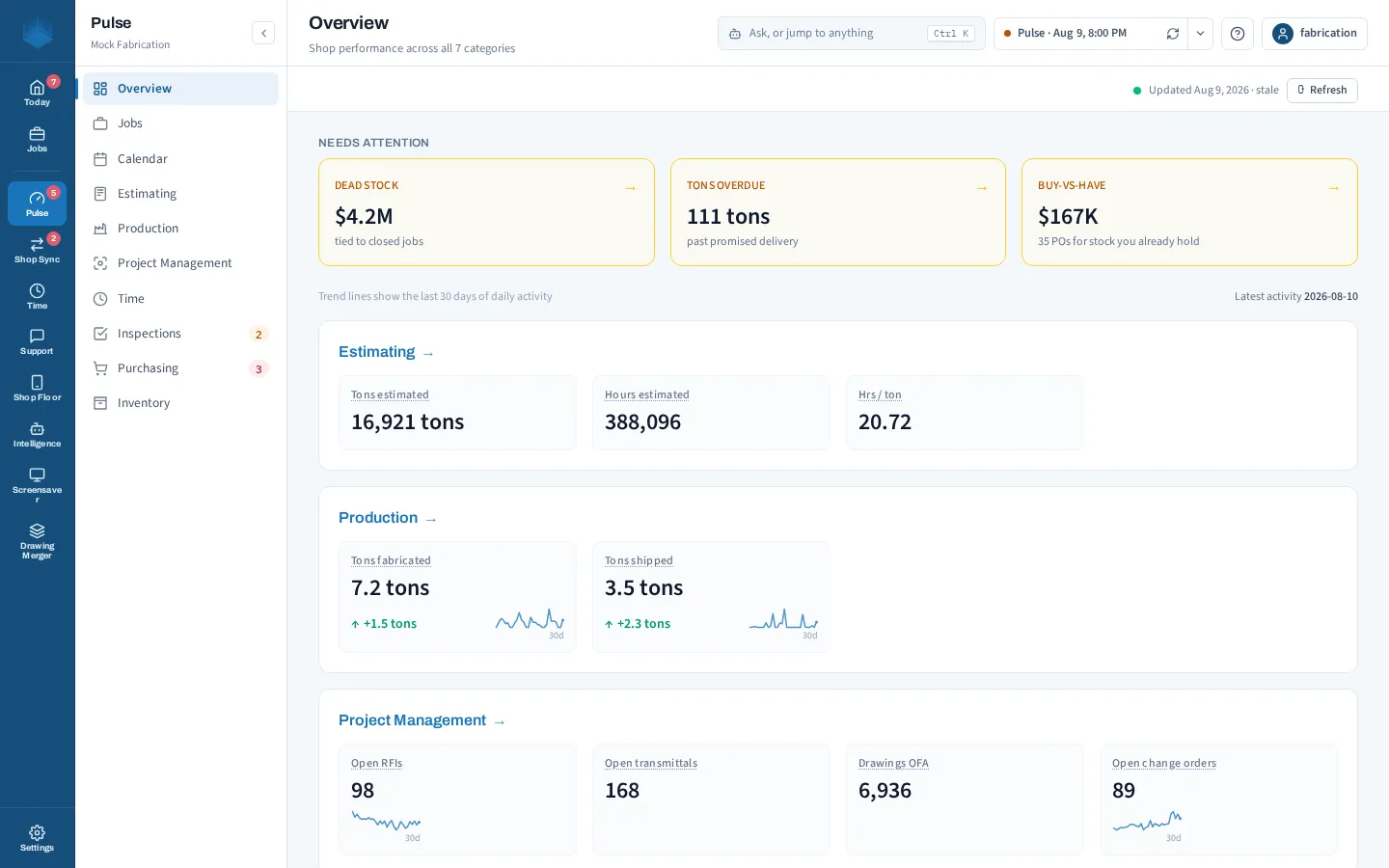
You should not need 15 reports to know how your shop is doing.
You should not have to pull 15 or 20 reports out of PowerFab just to know how your company is doing. Pulse gives you a quick snapshot of the health of your shop and your projects in a handful of easy screens. It is all there at a glance.
See whether a piece is in stock, on order, or on a cut list across an entire sequence in one view, instead of checking it piece by piece.
Catch material you purchased when it was already sitting in your inventory.
Surface inventory still tied up for projects that closed a long time ago, so you can free it back up.
Track the average days your drawings have been out for approval. Handy the next time somebody tries to backcharge you.
Every part of your shop, on its own screen.
A handful of focused dashboards, each answering the questions you actually ask.
The health of your shop and every active project on one screen.
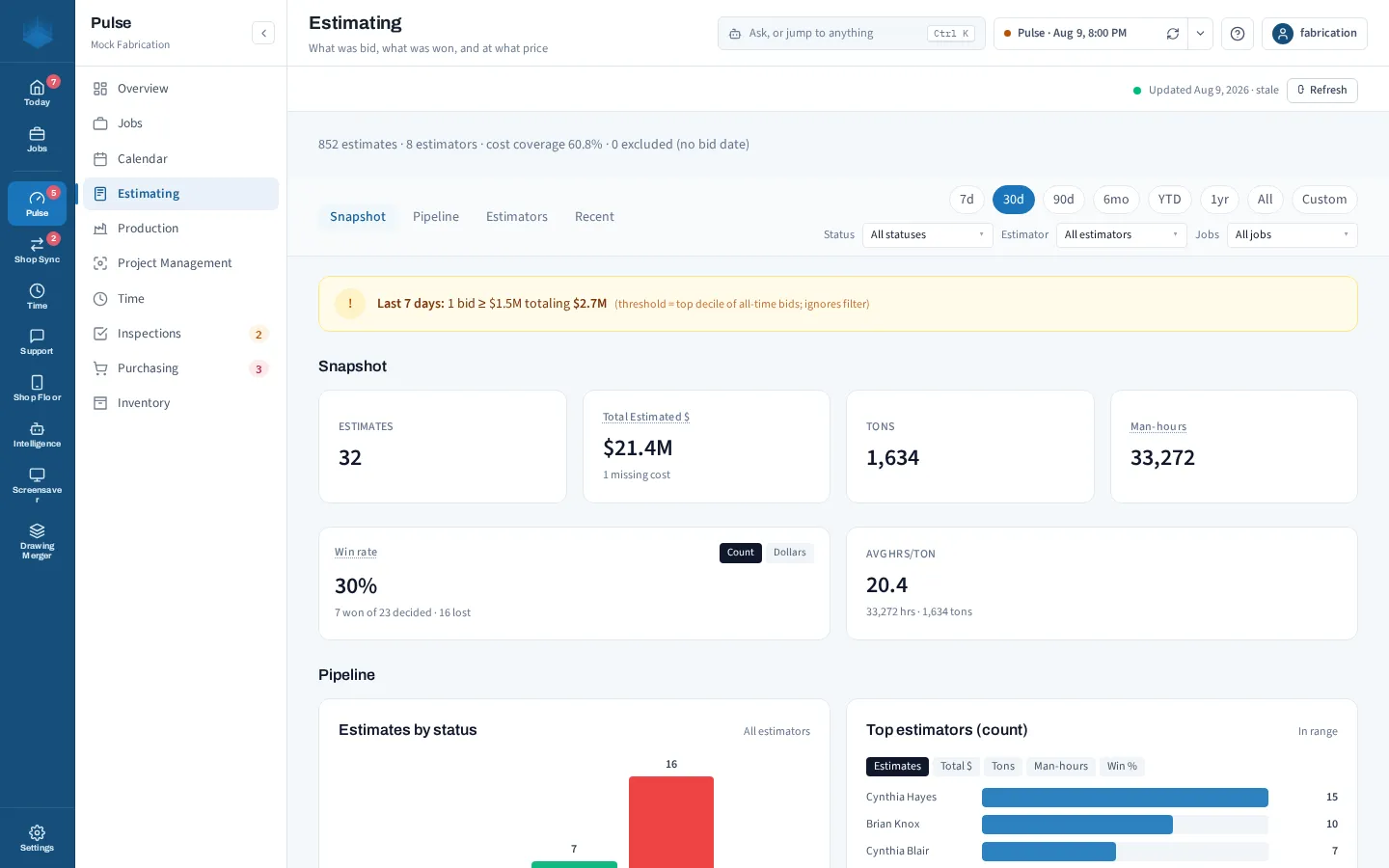
Win rate, open bids, and won vs lost, with no estimating spreadsheet to keep up.
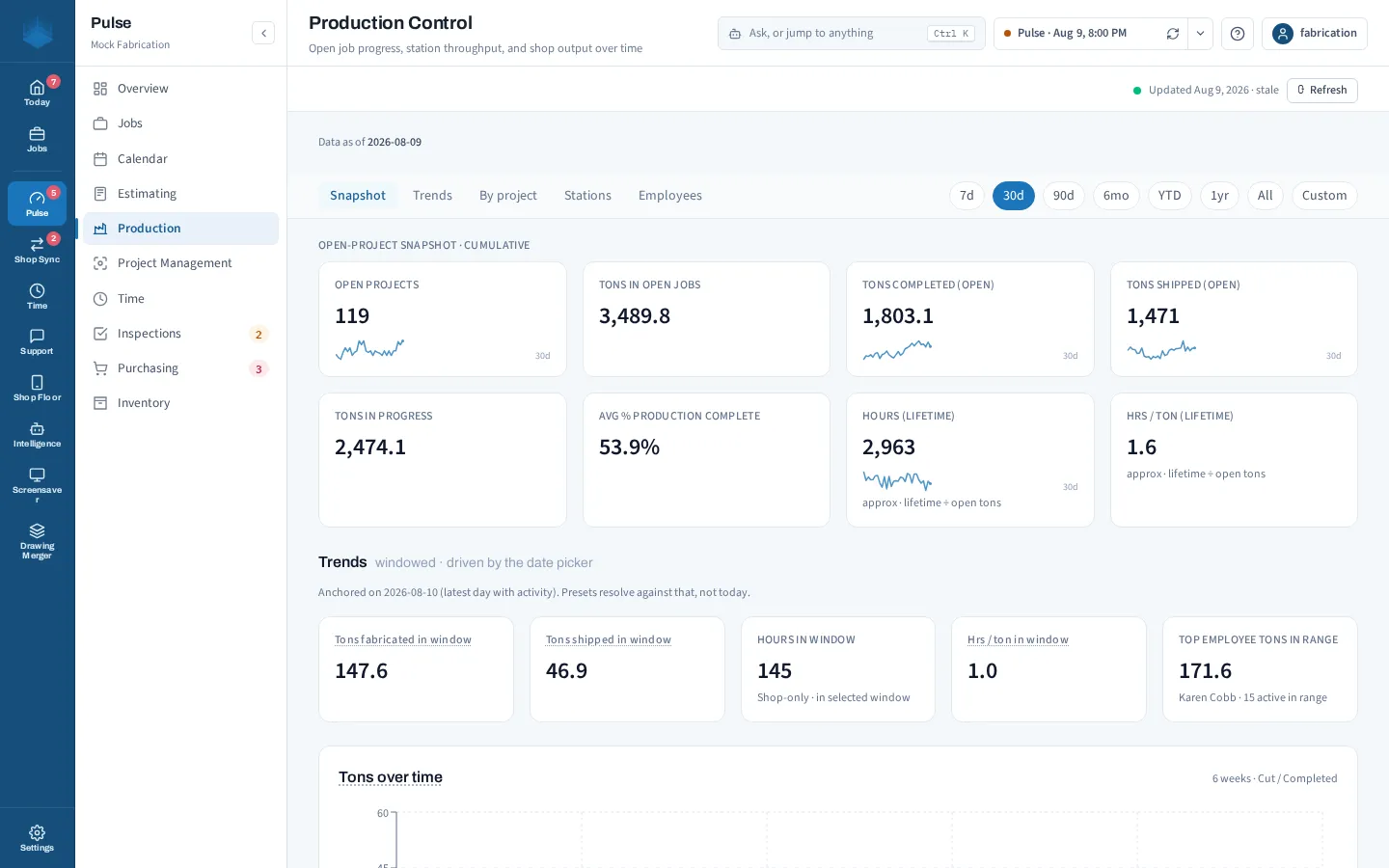
What is moving, what is stuck, and throughput by station.
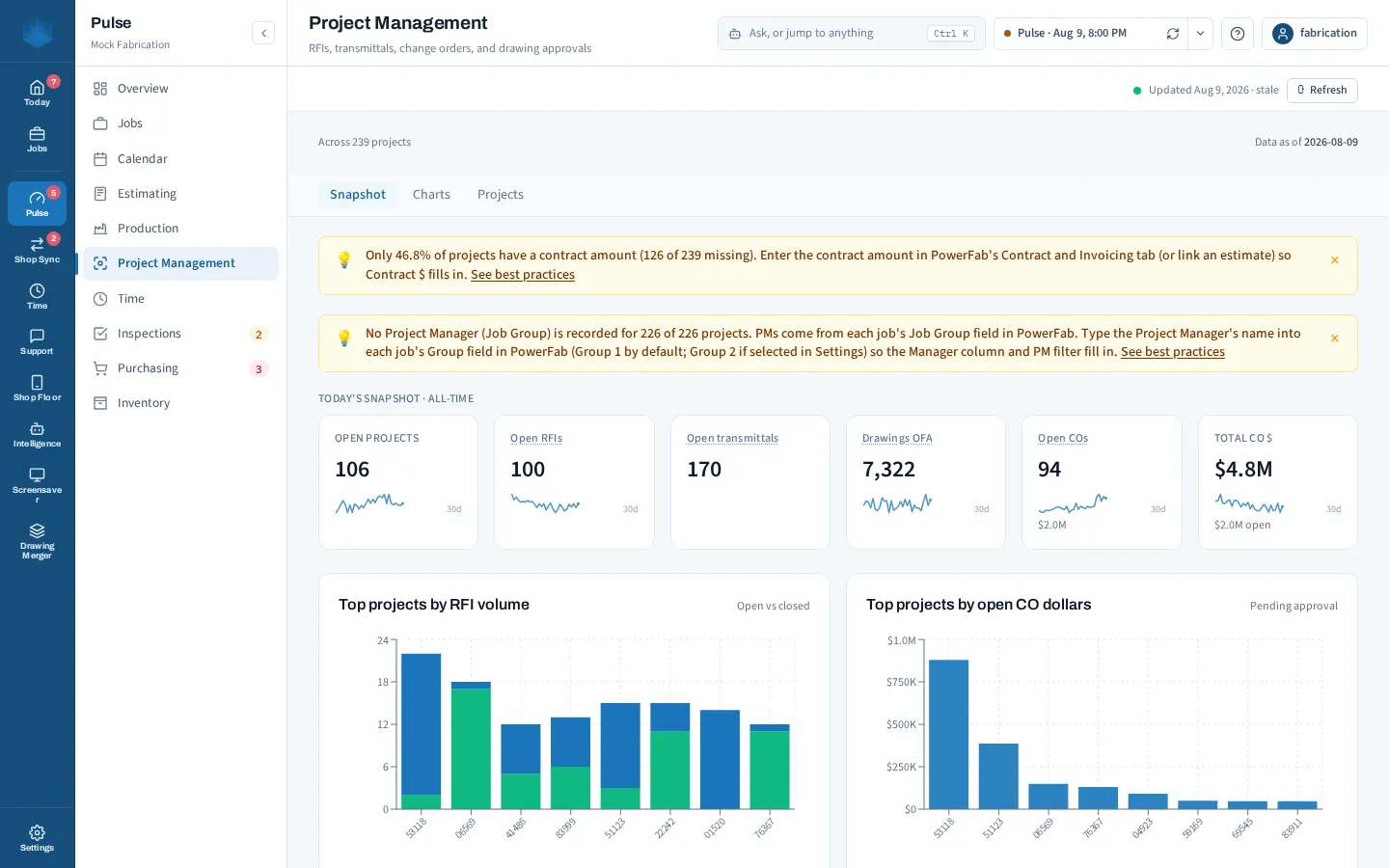
Drawings back from approval, RFIs, and change orders across every job.
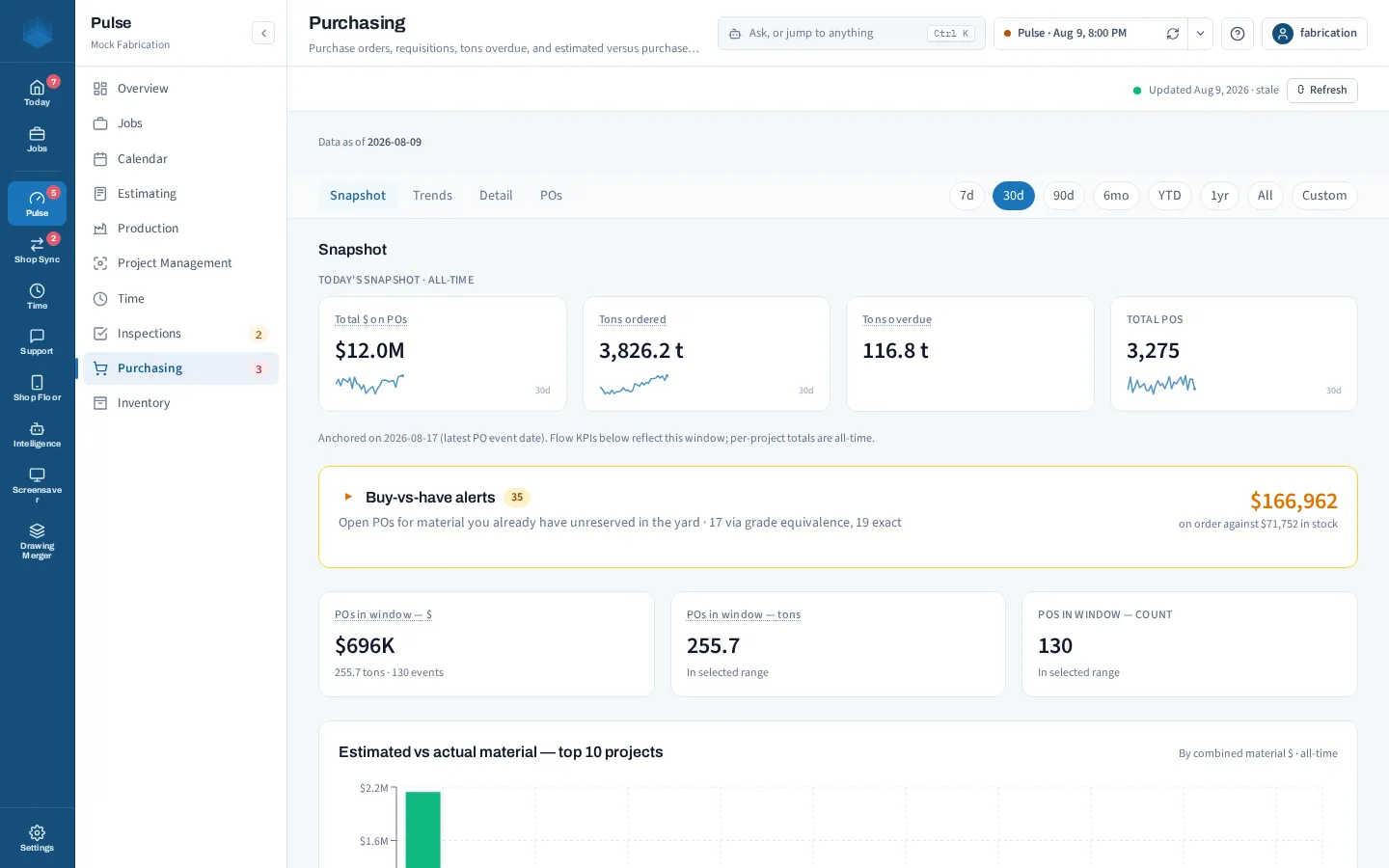
Estimated vs actual material, overdue deliveries, and outstanding POs by project.
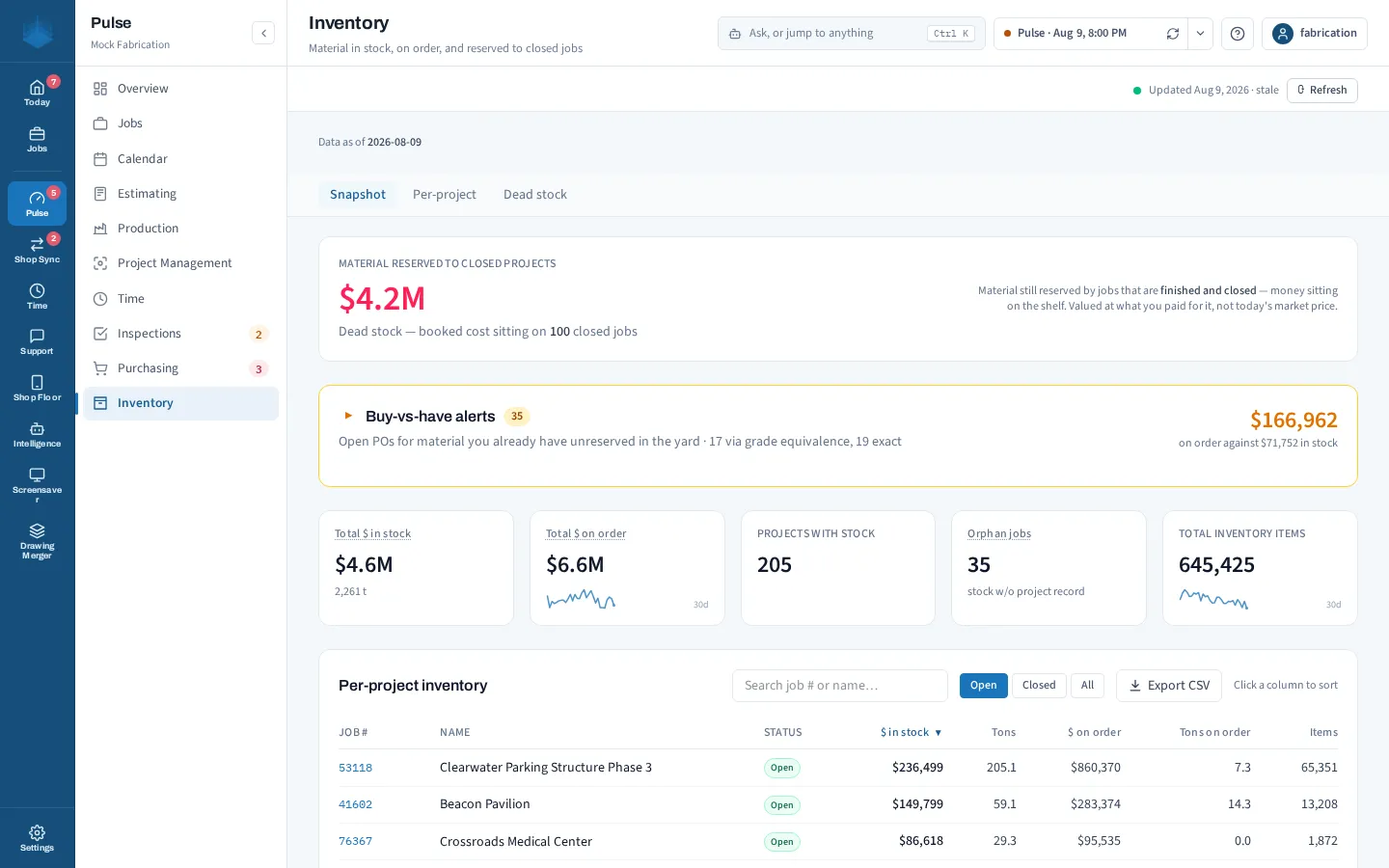
In stock and on order by project, plus dead stock still tied to closed jobs.
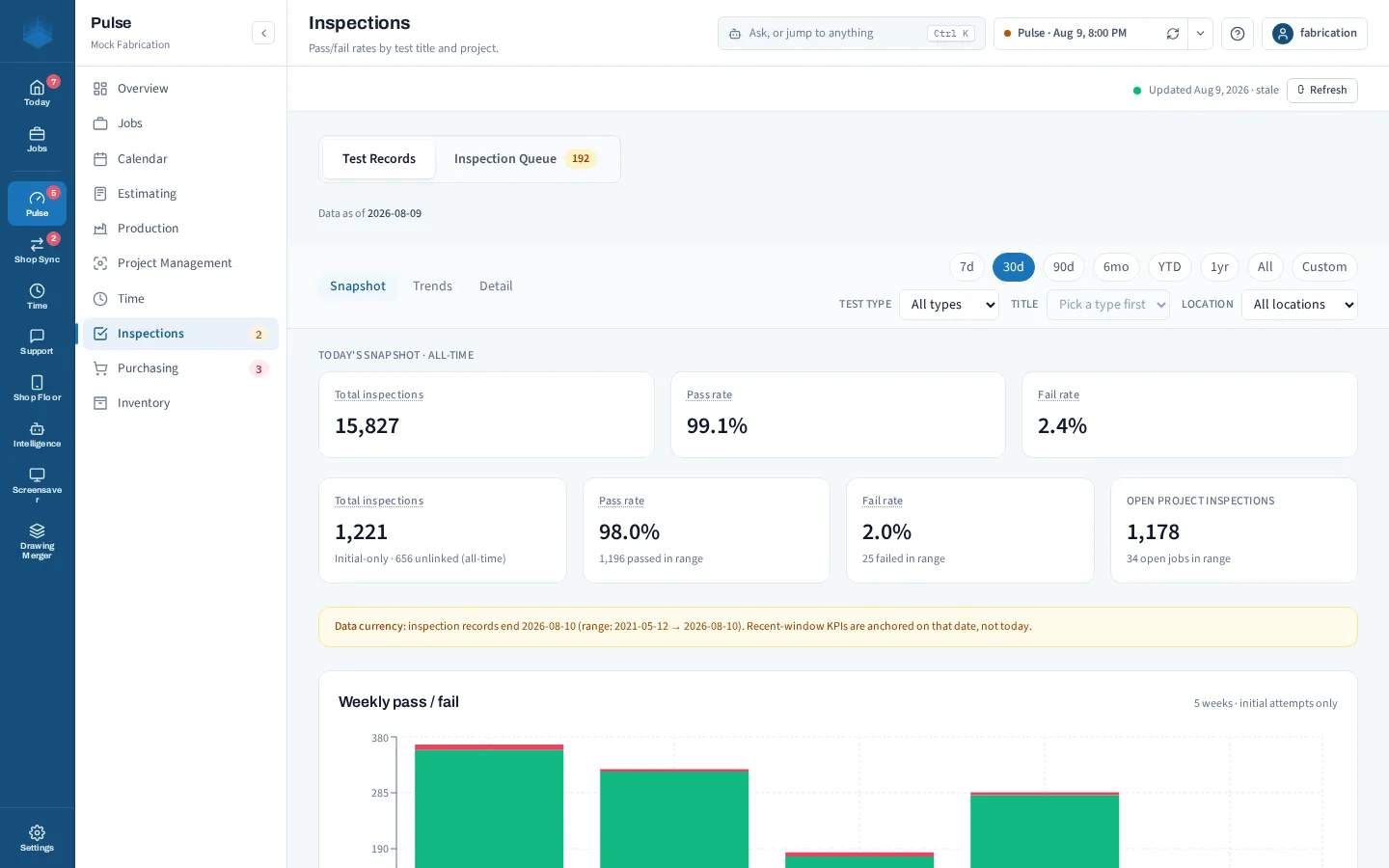
Pass/fail rate, the inspection queue, and QC by project.
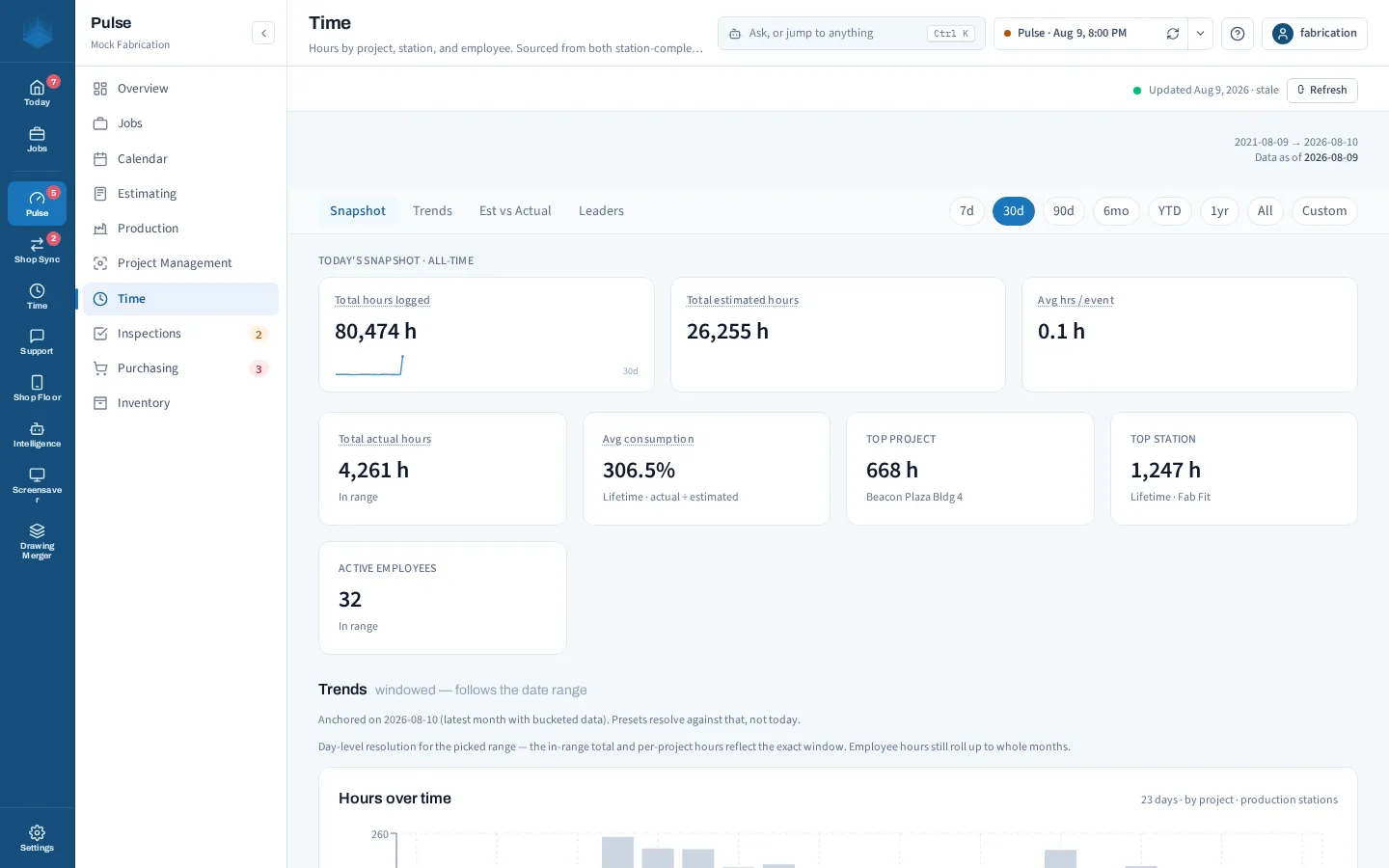
Hours by job and where the labor is really going.
Runs on your system. Reads your PowerFab data.
Install it
Pulse installs on a Windows PC in your shop, as part of the FabIS Hub.
Point it at PowerFab
Connect it to your PowerFab database, read-only. It never changes your data.
See your shop
Open it and your dashboards are ready in minutes.
Your data stays yours.
Already run Pulse? The Hub arrives as an update and you keep everything you have. If you can run PowerFab, you can run Pulse.
Ready to see your shop at a glance?
Book a demo and we will walk you through Pulse live, every screen, start to finish.
Request a demo