 FabIS
No more timecards.
No more retyping.
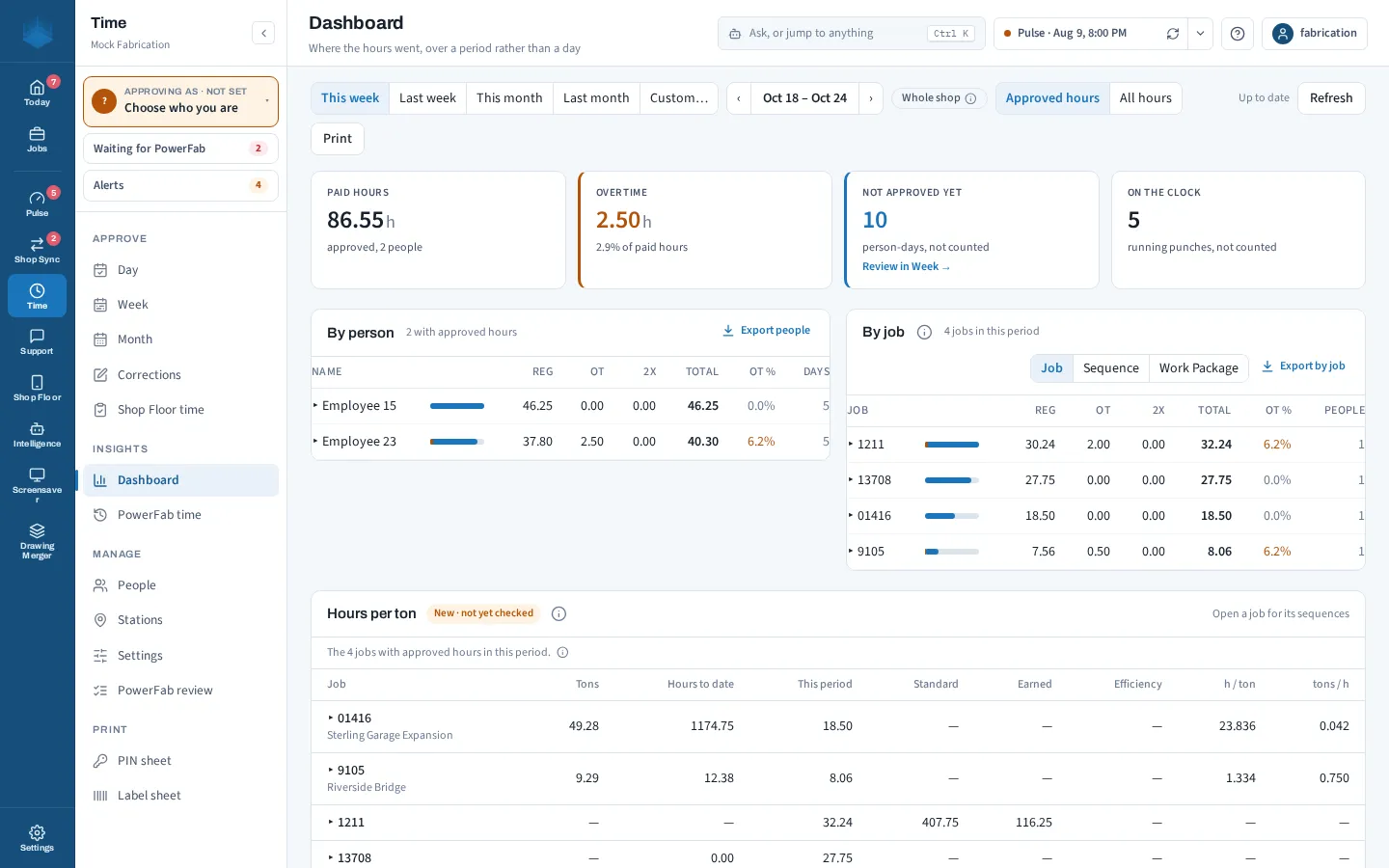
No more spreadsheets, either. Your employees and jobs are already in PowerFab. Now your time is too. Time is part of Shop Floor: workers clock in on the floor, supervisors approve the hours in the Hub, and you see estimate against actual by labor group. If hours are all you need, Shop Floor Lite is the time-only option.
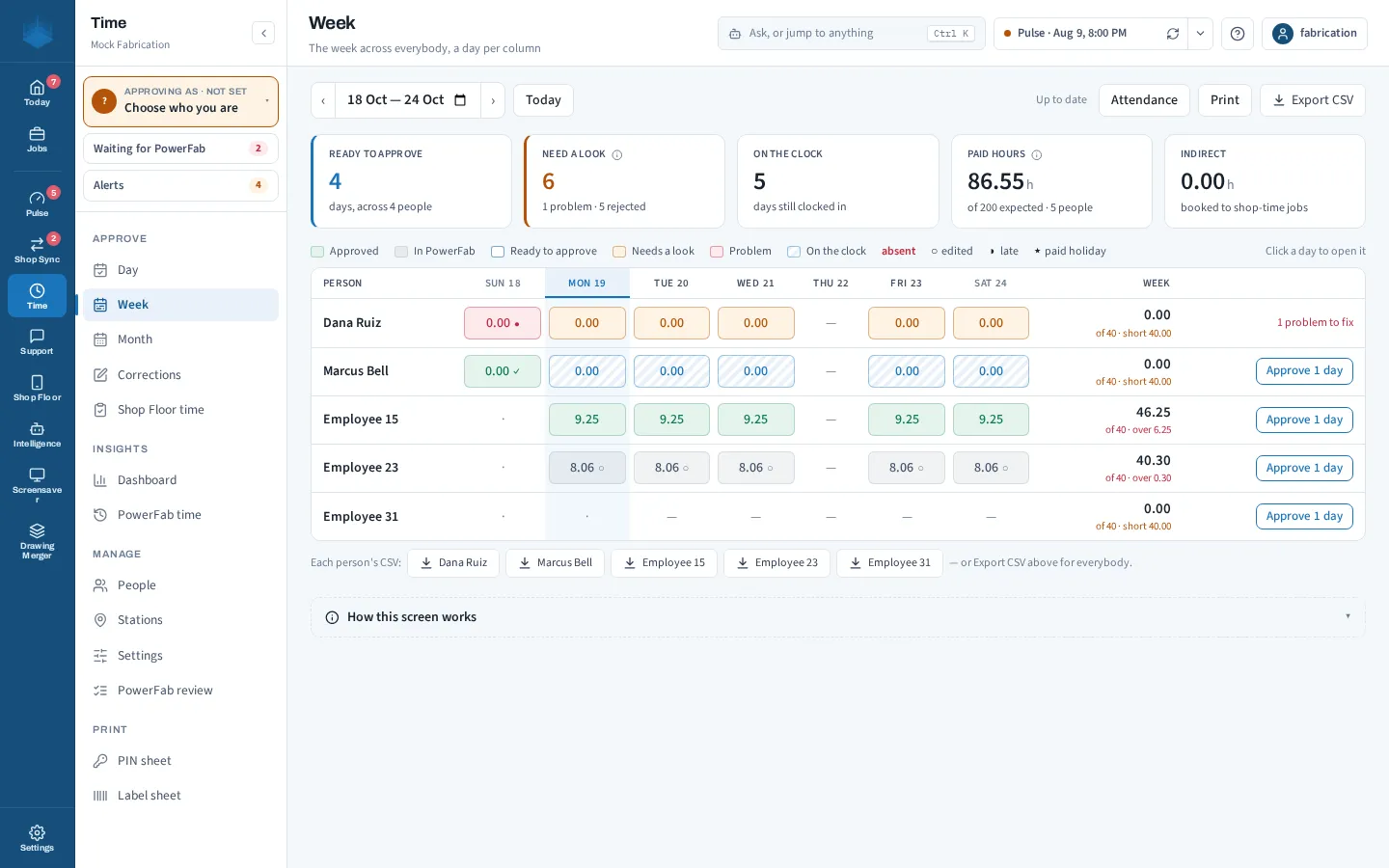
Know what every job really cost in labor.
Clock in on the floor
Crews clock in against the piece or the job instead of a paper sheet at the end of the week: with the punch web app today, and from Shop Floor when it ships.
Approve in the Hub
Supervisors review and approve the week in one pass from the desktop Hub: day, week and month views, corrections, and what is still waiting on you.
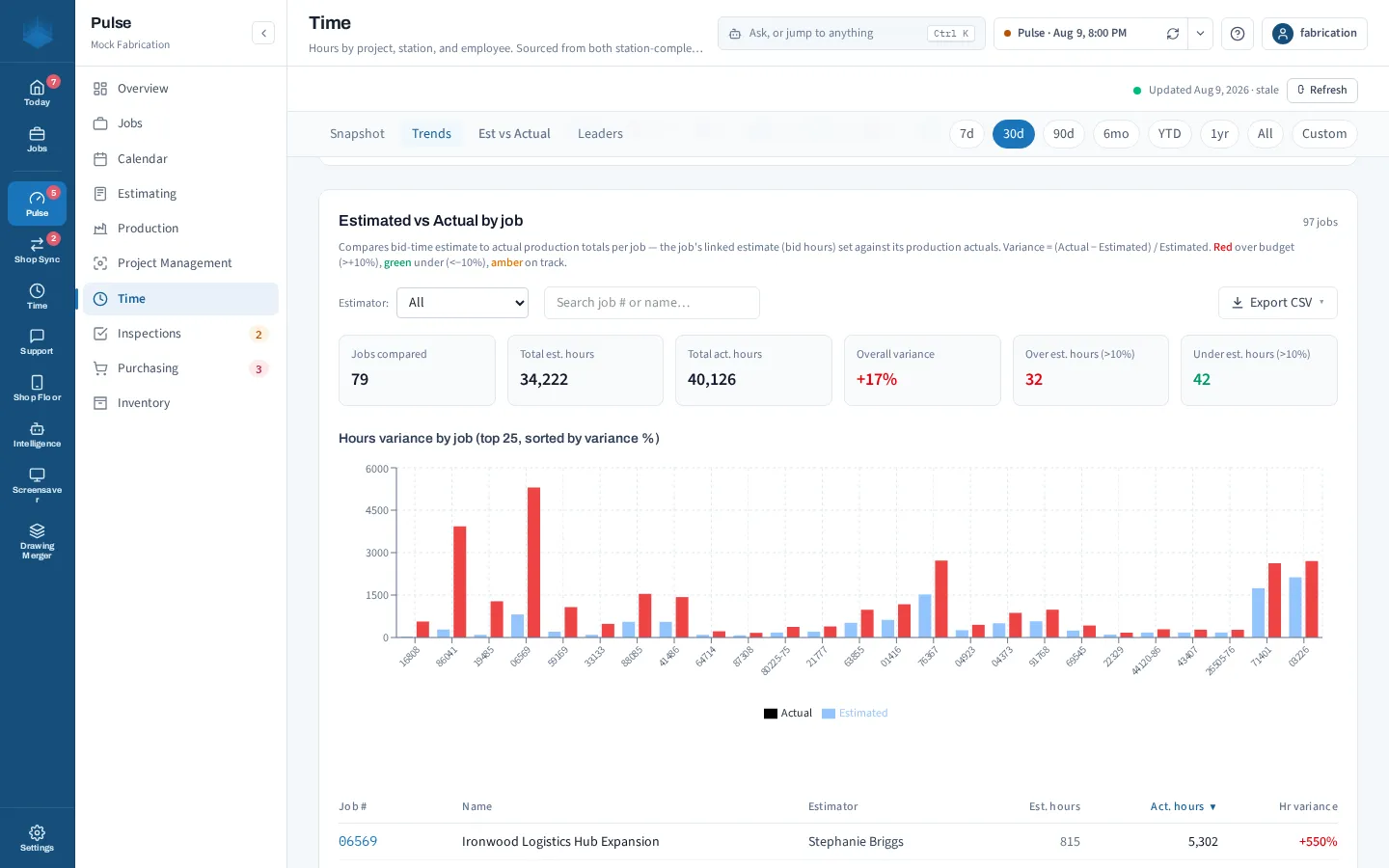
Estimate vs actual
See the hours you estimated against the hours actually worked, by labor group, on every job while it can still be fixed.
Shop Floor Lite
Only need hours? Shop Floor Lite is the time-only option, without the rest of Shop Floor. There is no Shop Floor without time.
Bid with the hours you actually worked.
Your shop's real hours, back in your estimates: hours by job and labor group, next to what the job was estimated at. Shown here on invented data.
With Shop Floor
Time alongside stations, inspections, cut lists and the rest, on the iPhone and iPad. Coming soon.
Shop Floor Lite
Just the hours: clock in, approve in the Hub, compare estimate with actual. Ask us about Shop Floor Lite.
Ask about Shop Floor Lite →